 Duorama
Tiny worlds for real objects

Fold your iPhone Duo like a laptop and stand a toy car on the lower half. The upper half becomes the world it’s driving through, and the road moves under its wheels.
Coming to the App Store See the ten scenes
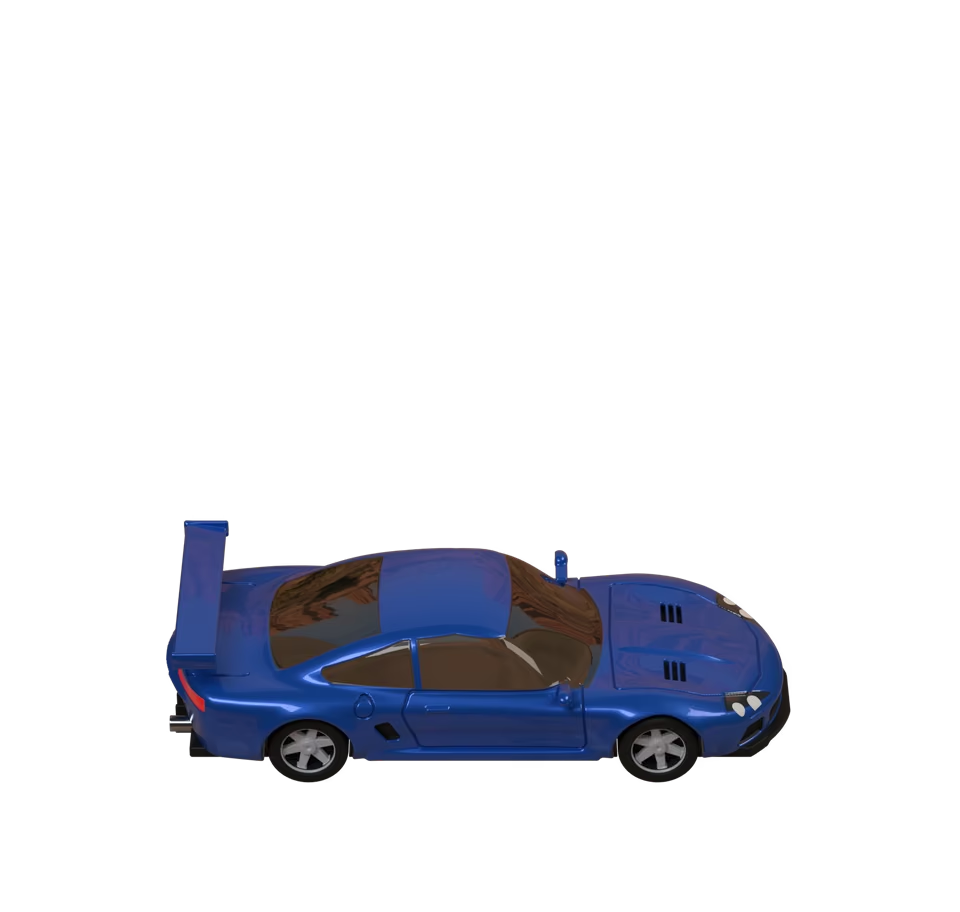
The scene is the app’s own. The toy car is a render, not a photograph.
How it works
-
Fold your iPhone Duo like a laptop
The lower half becomes the stage, and the upper half the world behind it.
-
Place something on the stage
A 1:64 car or a small figure fits best. It stays still while the world moves.
-
Tap the upper half for controls
They hide again on their own. The lower half ignores touches, so your object can’t press anything.

Ten scenes, from Tokyo to Mars


Tokyo After Rain
Neon, wet asphalt and a street that never ends
Free
Snowy Pass
Fresh tracks over the mountain
Unlocked by the one-time purchase
Harbor Expressway
Blue hour above the docks, lamps just coming on
Unlocked by the one-time purchase
Racetrack
An empty test day, and the last sun on the far side
Unlocked by the one-time purchase
Coast Road
A cliff road still in shade, and the sun already on the sea
Unlocked by the one-time purchase
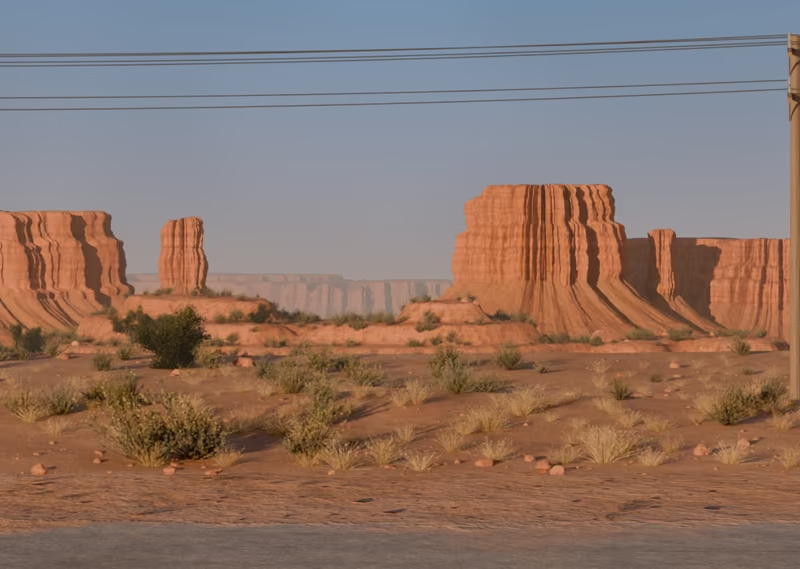
Desert Highway
Red rock and long shadows in the last hour of sun
Unlocked by the one-time purchase
Autumn Forest Road
Fallen leaves and morning mist
Unlocked by the one-time purchase
Moon
First tracks at the foot of a ridge, with the Earth over the mountains
Unlocked by the one-time purchase
Mars
Old tracks across a stony plain, and a small sun in the dust
Unlocked by the one-time purchase
Space Dock
Floodlit decks, and sunrise about to come round the planet
Unlocked by the one-time purchase
Set the scene
Face your object right, left, away or towards you, and the world turns to match.


In the app, some scenes also have rain or snow, and the darker ones have headlights. Every scene has its own ambient sound, which mixes with your music and stays quiet in silent mode.
Save your favorites. Controls hide themselves, and come back when you tap the upper half.
Tokyo After Rain is free.
One purchase unlocks the other nine.
It’s a one-time purchase, and it includes every scene added later. There’s no subscription, no ads and no account.
A moving backdrop on other iPhone models

Prop your iPhone upright and put your object in front of it. The screen becomes the world behind. The folding stage needs an iPhone Duo.
Look after your screen
- Place objects gently.
- Avoid sharp edges.
- Clear the screen before closing your iPhone Duo.
Light objects with smooth undersides are best. Keep sharp, heavy or gritty things off the screen, and don’t slide objects across it. Apple warns that folding it over hard objects can damage the inner display.
Good to know
Which objects fit best?
Scenes are made for 1:64, the size of most small toy cars, so cars and figures around that size look most at home. On the Moon and Mars, try a rover.
Can my object press something?
No. Once your iPhone Duo is folded like a laptop, only the upper half responds to touch.
Does it make sound?
Every scene has its own ambient sound. It mixes with your music and stays quiet in silent mode, and you can turn it off.
What does Duorama know about me?
Nothing. It collects no data, shows no ads and needs no account. The privacy policy has the details.
More answers are on the support page.